


|
|
|
Um...what is it you do again?
| (Since writing this, I've left NewTek and returned to school to finish my
degree. But it's still a good description of what I did until recently, and may do again
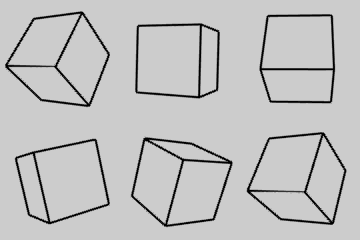
in the near future.) Computer graphics. I write software used to make 3D animations, and I tell other people how to write this kind of software. The computer language I use is called C. 3D animation uses the computer as the drawing tool. Instead of drawing each frame by hand, the artist builds models of the actors and sets in the computer and tells the computer where he wants them to move. The models are built up from polygons (triangles or squares, for example) that are connected together at the edges to form a mesh. The artist creates the appearance of each object by painting on it (image mapping), or by telling the computer how to draw it (procedural texturing). The E images in the figure are image maps. The wood grain is a procedural texture based on slicing concentric, somewhat irregular cylinders, a simple computer model of tree rings. After modeling and texturing, lights and cameras are positioned among the models, just like on a real movie set, and the computer renders each frame one at a time. At larger production facilities, each step in this process is a specialty handled by a different artist. And yes, at the moment, most of the artists are male, but this is changing. Because good animators can make the final product look effortless on the screen, people sometimes get the mistaken impression that the computer does most of the work. The author of a biography of Judy Garland, for example, repeated this misconception recently in an article for TV Guide. "How could the cyclone...be reproduced on a soundstage? How could the winged monkeys and witches...be sent flying through the air?" he asked rhetorically, expressing what MGM filmmakers must have been thinking in 1938 as production began on The Wizard of Oz. "Today," he added, "a few keystrokes of a computer could conjure up those effects..." What the computer brings to animation is its ability to perform staggering amounts of arithmetic. Just a few seconds of completed film can easily require trillions of calculations. But it's still the artists that must apply their understanding of geometry, kinematics, painting, lighting, cinematography, acting and storytelling. The computer makes none of their creative decisions for them, and no part of any good animation work is in any important sense automatic. There's no Flying Monkeys button on my computer, any more than there's a button for, say, magazine articles. Even if I had a Flying Monkeys button, I probably wouldn't use it myself. Since 1993, when I wrote the HAM and ANIM5 code for version 3.5, I've been an increasingly active part of the programming team that produces a commercial 3D animation system called LightWave, and I leave most of the animating to the users of that program. LightWave is used around the world for TV and movie special effects, games, 3D cartoons, commercials and title graphics. You've definitely seen stuff that's been done with it. (In fact, they've started putting "It's Everywhere" on the box.) Visit NewTek, particularly the projects list and the gallery. The thing I like about graphics programming in particular is that it engages so many different parts of your mind. |
   |
 p = pol[ j ].v[ n ].index;
 for ( g = 0; g < pt[ p ].npols; g++ ) {
    h = pt[ p ].pol[ g ];
    if ( h == j ) continue;
    if ( pol[ j ].smoothgrp != pol[ h ].smoothgrp )
       continue;
    a = vecangle( pol[ j ].norm, pol[ h ].norm );
    if ( a > pol[ j ].surf->smooth ) continue;
    for ( k = 0; k < 3; k++ )
       pol[ j ].v[ n ].norm[ k ] += pol[ h ].norm[ k ];
 }
 normalize( pol[ j ].v[ n ].norm );
|
|
| This happens to be a
fragment of code that figures out which direction a surface is facing at each polygon
vertex, a fundamental calculation in any 3D program. In order to make it work, you need to
know some math, you need to be able to picture it in your mind, and you need to be fluent
in a precise and circumscribed language. You want the code to be efficient and to do
exactly what you expect. And when it works, the payoff is an image that can be appreciated
both analytically and aesthetically. More recently I've had the equally challenging and satisfying task of teaching other programmers how to do this. LightWave allows programmers to add to its capabilities by writing extensions of the program called plug-in servers, or simply plug-ins. The package of materials that explains and demonstrates how to use the plug-in system is the LightWave Server Development Kit (SDK). I'm the author of the SDK. As of this writing, the LightWave SDK comprises almost 500 pages of online documentation and over 60,000 lines of example code. You can see it here, although it won't make a lot of sense unless you happen to be a 3D graphics programmer with at least a little LightWave experience. I also respond to questions about the SDK on the LightWave plug-in mailing list. I posted to that forum over 800 times in 2001, in fact, as well as sending several hundred replies to private inquiries. |